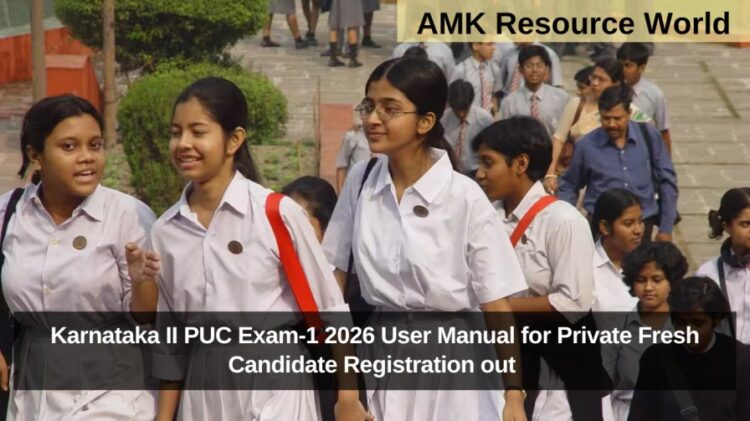
The Department of Pre-University Education (DPUE), Karnataka, has released the official user manual for Private Fresh (PF) candidate registration for the 2026 II PUC Exam-1. This online registration system has been introduced to simplify the application process for private candidates who wish to appear for the upcoming PUC examinations.
Private candidates can now complete their registration, upload documents, and make payments entirely online through the official DPUE portal, Below is a detailed step-by-step guide to assist candidates in completing the process correctly.
Step 1: Access the Registration Portal
Visit the official website.Click on the “Private Registration” link to begin your application process.
Step 2: Enter Basic Details
Fill in the following required information:
- Mobile Number – This will act as your username.
- Candidate Type – Select the appropriate type from the dropdown list.
- Password – Create a secure password for your login.
- Click on “Get OTP” to receive a verification code on your registered mobile number.
Step 3: OTP Verification
Enter the OTP received on your mobile and click “Register.”
A confirmation popup will appear on the screen once your registration is successful.
Step 4: Login to the Portal
After successful registration, the Login Page opens automatically.
- Enter your mobile number.
- Verify again using the OTP received on your registered number and click “Proceed to Login.”
- Enter your password on the User Login page and click “Login.”
Step 5: Access the Home Page

After logging in, the Home Page will be displayed.
Here, candidates can:
- View the list of documents required for registration.
- Click on the “Application Menu” to continue the registration process.
Step 6: Read Instructions and Declaration
Carefully read all instructions and guidelines displayed on the screen.
Select the Declaration Checkbox to confirm and proceed to the next step.
Step 7: Fill Candidate Details
- On the Private Candidate Registration Page, select the Board from which you completed your 10th Class.
- For SSLC Board candidates, your details will be auto-fetched from the database.
- Candidates from other boards must fill in their details manually.
- Upload all required documents, such as your marks card, ID proof, and photo.
- Click on “Save” to store your details.
A confirmation message will pop up indicating that your data has been saved successfully.
Step 8: Verify Draft Application
- Once the data is saved, review your Draft Application carefully.
- If corrections are needed, click on “Update.”
- If all details are correct, click on “Make Payment” to proceed with fee payment.
Step 9: Payment Process
To complete the registration:
- Click on the “Make Payment” option.
- Choose your preferred payment method (Debit Card, Credit Card, or Net Banking).
- Verify all details on the payment page.
- Click “Pay Now” to complete the transaction.
- Once payment is successful, a confirmation popup will appear.
- Download and print the payment receipt for future reference.
Key Features of the Online System
- Complete registration from home without visiting schools or offices.
- Auto-fetch feature for SSLC candidates reduces manual errors.
- Instant confirmation and acknowledgment after submission.
- Secure online payment gateway for hassle-free transactions.
The DPUE 2026 II PUC Private Fresh Registration process ensures efficiency, transparency, and convenience for all private candidates. By digitizing the system, the department aims to make examination registration faster and more accessible for students across Karnataka, for more details CLICK HERE