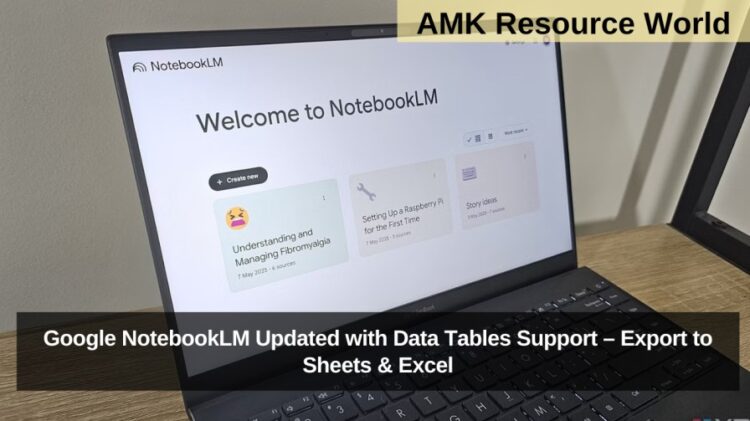
Google NotebookLM, the AI-powered research and note-taking platform from Google Labs, has received a significant update with the introduction of data tables support. This new feature allows users to organise information into structured tables, making comparative analysis and research synthesis easier and more efficient. Google also confirmed that the data tables can be exported to Google Sheets, and subsequently downloaded as Microsoft Excel spreadsheets, improving cross-platform usability for students, researchers, and professionals worldwide.
NotebookLM Now Lets Users Organise Data into Tables
With the latest update, users can now convert unstructured information into customisable data tables within NotebookLM. These tables allow information to be categorised based on user-defined priorities, helping users compare data points quickly and accurately. According to Google, this feature is currently rolling out to Google AI Pro and Google AI Ultra subscribers, with availability expanding to all users in the coming weeks.
The new data tables functionality enhances NotebookLM’s ability to act as a centralised research hub, especially for academic and professional use cases.
Key Use Cases of Data Tables in NotebookLM
The newly introduced data tables unlock several powerful workflows, including:
- Converting meeting transcripts into structured tables
- Synthesising insights from multiple research papers
- Tracking study years, sample sizes, and statistics
- Comparing findings across documents in a single view
Once generated, these tables can be exported directly to Google Sheets for further editing, collaboration, and analysis, and then downloaded as Excel files for offline use.
Export Notes and Reports to Multiple Formats
In addition to data tables, Google has enhanced NotebookLM with expanded export options. As announced via an official post on X (formerly Twitter), users can now export Notes and Reports into:
- Google Docs
- Google Sheets
- Source code formats
This allows users to access and edit their work on-the-go, ensuring flexibility across different productivity tools.
How to Export Notes, Reports, and Tables
To use the export feature in NotebookLM, users can follow these steps:
- Open NotebookLM Studio Panel
- Click on the three-dot (ellipsis) menu next to Study Guide, Briefing Docs, or Saved Notes
- Select the desired export format (Docs, Sheets, or source code)
This streamlined process makes it easier to move content between NotebookLM and other Google Workspace tools.
Recent NotebookLM Feature Updates

Google’s latest announcement follows other major improvements to NotebookLM, including:
- Chat History, which allows users to resume conversations with full context
- Slide Decks, enabling AI-generated presentations
Both features are currently available to mobile and web users, further strengthening NotebookLM’s position as a comprehensive AI research assistant.
Quick Reference Summary
| Feature | Details |
| New Addition | Data Tables Support |
| Export Options | Google Sheets, Excel, Docs, Source Code |
| Availability | Google AI Pro & Ultra (rolling out to all users) |
| Use Cases | Research synthesis, meeting analysis, data comparison |
| Recent Enhancements | Chat History, Slide Decks |
Why This Update Matters
The introduction of data tables significantly boosts NotebookLM’s research and analysis capabilities. By combining AI-powered synthesis with structured data organisation, users can now transform large volumes of information into actionable insights. The ability to export data into commonly used formats like Google Sheets and Excel ensures seamless collaboration and real-world application.
The latest NotebookLM update with data tables support marks a major step forward in AI-assisted research and productivity. By enabling structured data organisation, seamless exports, and improved collaboration, Google continues to evolve NotebookLM into a powerful research companion. Users are advised to keep an eye on Google Labs announcements for broader rollout updates and future feature enhancements