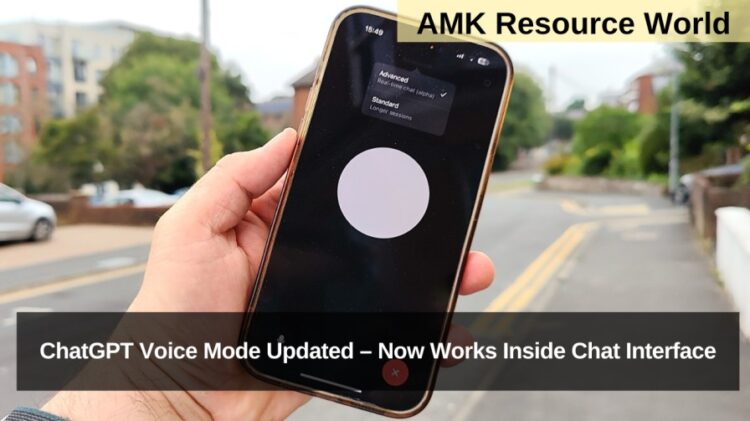
OpenAI has introduced a significant quality-of-life enhancement to ChatGPT’s advanced Voice Mode, integrating it directly within the main chat interface. Previously, activating Voice Mode would open a full-screen conversational space separate from the chat window. With the latest update, users can now enjoy real-time two-way voice conversations while simultaneously viewing text messages, images, and visual outputs inside the chat. This update—announced via OpenAI’s official X handle—is rolling out globally for users across India, the US, UK, UAE, Singapore, and other regions using Voice Mode on the ChatGPT mobile app.
The advanced Voice Mode was first launched for paid subscribers in July 2024, followed by a wider release to free-tier users in August 2025. It allows ChatGPT to speak in natural, human-like tones, adapting pitch and emotional cues. The new integration enhances usability by combining voice interaction with ChatGPT’s multimodal features, including visuals, maps, shopping research, and image generation.
What’s New in the Updated ChatGPT Voice Mode?
OpenAI has redesigned the feature to create a seamless unified interface:
- Voice Mode now opens directly inside the chat window
- Users can see ongoing messages while speaking to ChatGPT
- ChatGPT can display visuals, maps, diagrams, and product lists without leaving the session
- The update improves multitasking for conversations requiring visual confirmation
- Voice Mode retains natural speech, fast responses, and contextual awareness
This integration enhances productivity for learning, shopping, coding, travelling, brainstorming, and hands-free usage.
New Capabilities Enabled by In-Chat Voice Mode

The updated design unlocks several new possibilities that were inconvenient or impossible in the old full-screen mode:
- Live image generation: Users can ask ChatGPT to create an image and view/edit it instantly
- Shopping Research tool compatibility: Voice + visuals in one place
- Coding with voice (“vibe coding”): Review code on screen while dictating changes
- Map and visual explanations: ChatGPT can show routes, diagrams, or layouts while speaking
- Review history: Users can scroll up to check previous messages while in voice conversation
This significantly enhances the flexibility of the AI assistant for educational, creative, and professional tasks.
Prefer the Old Full-Screen Mode? You Can Still Switch Back
OpenAI has preserved the older interface for users who prefer a dedicated voice-only mode. To enable it:
- Open the options menu (two horizontal lines on top-left of the app)
- Tap your profile name
- Go to Voice
- Toggle “Separate mode” ON
When activated, Voice Mode will open in the previous full-screen layout.
Frequently Asked Questions
| What is the new ChatGPT Voice Mode update? |
| It integrates Voice Mode directly into the chat interface, allowing simultaneous voice and on-screen interactions. |
| Can I see messages while using Voice Mode? |
| Yes, users can now view and scroll through messages during a voice conversation. |
| Does the new interface support visuals? |
| Yes, ChatGPT can show maps, images, shopping results, and diagrams within Voice Mode. |
| Can I still use the old full-screen Voice Mode? |
| Yes, users can enable “Separate mode” in the Voice settings. |
| When was ChatGPT’s Voice Mode introduced? |
| It launched for paid users in July 2024 and expanded to free users in August 2025. |
| What new features does the update enable? |
| Live image generation, coding with voice, shopping research, and viewing visuals during conversations. |
| Is the new Voice Mode available on iOS and Android? |
| It is rolling out on mobile apps, starting with Android and gradually to iOS. |
| Where can users find the Voice Mode settings? |
| In the app menu under Profile > Voice > Separate Mode toggle. |
OpenAI’s redesigned ChatGPT Voice Mode marks a significant leap in natural, multimodal interaction—making it easier to speak with the AI while viewing messages, visuals, and results in real time. Whether users want a seamless chat-based voice experience or prefer the older full-screen interface, both options are now available. For official updates and upcoming improvements, visit the OpenAI website and bookmark this page for quick reference.