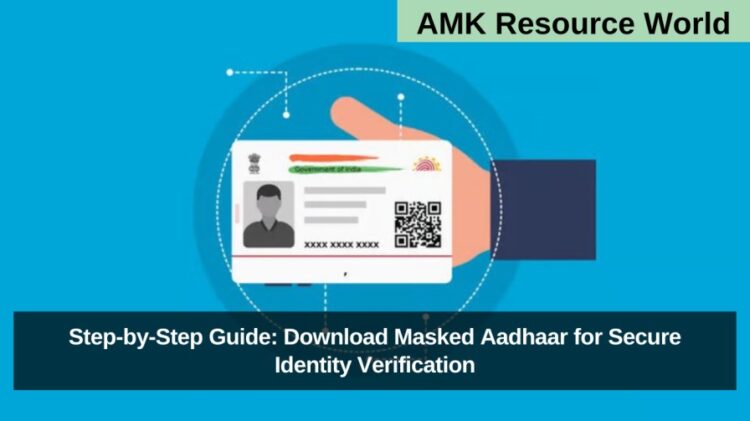
The Aadhaar card, issued by the Unique Identification Authority of India (UIDAI), is a 12-digit identification number that serves as a vital proof of identity and address across India. It is used extensively for government schemes, financial transactions, admissions, banking, and personal verification purposes. Given its importance and sensitivity, safeguarding Aadhaar details has become crucial to prevent identity theft and misuse. One of the most effective ways to protect your Aadhaar information is by using a Masked Aadhaar, a secure version of the Aadhaar card designed to maintain privacy.
What is Masked Aadhaar?
A Masked Aadhaar is a privacy-protected version of your Aadhaar card where the first eight digits of your 12-digit Aadhaar number are replaced with “xxxx-xxxx”, and only the last four digits remain visible. This ensures your Aadhaar number isn’t fully exposed, minimizing the risk of data theft or fraud. The Masked Aadhaar is equally valid under the Aadhaar Act, 2016, and can be used for most verification purposes like e-KYC, hotel check-ins, ticket bookings, and job applications. However, certain institutions, such as banks or passport offices, may still require a full Aadhaar for specific verifications.
Benefits of Using Masked Aadhaar
- Enhanced Privacy: Hides the majority of the Aadhaar number, protecting your identity.
- Legally Valid: Recognized by UIDAI as a legitimate proof of identity.
- Fraud Prevention: Reduces the risk of unauthorized use of Aadhaar details.
- Ease of Use: Accepted across digital platforms and easy to download.
How to Download Masked Aadhaar via UIDAI Website
You can easily download your Masked Aadhaar through the UIDAI official website by following these steps:
- Visit the official UIDAI portal: myaadhaar.uidai.gov.in.
- Click on Download Aadhaar under the My Aadhaar tab.
- Enter your 12-digit Aadhaar Number, 28-digit Enrollment ID (EID), or 16-digit Virtual ID (VID).
- Complete the captcha verification and click on Send OTP.
- An OTP will be sent to your registered mobile number.
- Tick the checkbox for “Do you want a masked Aadhaar?”
- Enter the OTP and click on Verify and Download.
- Your Masked Aadhaar will download as a password-protected PDF.
- Password Format: First 4 letters of your name in uppercase + year of birth (e.g., RAVI1990).
How to Download Masked Aadhaar via mAadhaar App
You can also use the mAadhaar mobile app for an easy and secure download.
- Install the mAadhaar app from the Google Play Store or Apple App Store.
- Choose your preferred language and verify your registered mobile number via OTP.
- On the dashboard, select Download Aadhaar under Get Aadhaar.
- Choose Masked Aadhaar as the Aadhaar type.
- Enter your Aadhaar number, EID, or VID, along with the captcha.
- Generate and enter the OTP received on your registered mobile number.
- Click Verify and Download to receive your Masked Aadhaar instantly.
How to Download Aadhaar via DigiLocker

DigiLocker, an initiative under the Digital India program, allows users to store government documents securely.
- Visit digilocker.gov.in or download the DigiLocker app.
- Log in using your mobile number, user credentials, or Aadhaar number, and verify via OTP.
- In the search bar, type UIDAI and select Aadhaar.
- Enter your 12-digit Aadhaar number and verify with the OTP received.
- Once verified, your Aadhaar card will appear under the Issued Documents section, ready for download.
Frequently Asked Questions (FAQs)
| What is a Masked Aadhaar? |
| A version of Aadhaar where the first eight digits are hidden and only the last four are visible for privacy protection. |
| Is Masked Aadhaar legally valid? |
| Yes, it is valid under the Aadhaar Act, 2016, and can be used for most verification processes. |
| Can Masked Aadhaar be used for bank verification? |
| In most cases, yes. However, some financial institutions may still require the full Aadhaar number. |
| How can I download a Masked Aadhaar? |
| You can download it via the UIDAI website, mAadhaar app, or DigiLocker. |
| What is the password for the Aadhaar PDF file? |
| It’s the first four letters of your name in uppercase followed by your year of birth (e.g., RAVI1990). |
| Is Masked Aadhaar accepted for travel bookings? |
| Yes, it is accepted for most travel and hotel booking verifications. |
| Can I download someone else’s Aadhaar using my mobile number? |
| No, OTP verification is required on the mobile number registered with that specific Aadhaar. |
| Is Masked Aadhaar safer than regular Aadhaar? |
| Yes, because it hides most of your Aadhaar number, reducing the risk of misuse and identity fraud. |
A Masked Aadhaar is an essential privacy safeguard in today’s digital world. It offers individuals a way to use Aadhaar safely for identity verification without exposing the full Aadhaar number. Whether downloaded via the UIDAI website, mAadhaar app, or DigiLocker, it provides a secure and legally valid proof of identity. To maintain privacy and protect personal information, citizens are encouraged to use Masked Aadhaar wherever applicable. For the most accurate information, always refer to the official UIDAI website and bookmark this page for future updates.