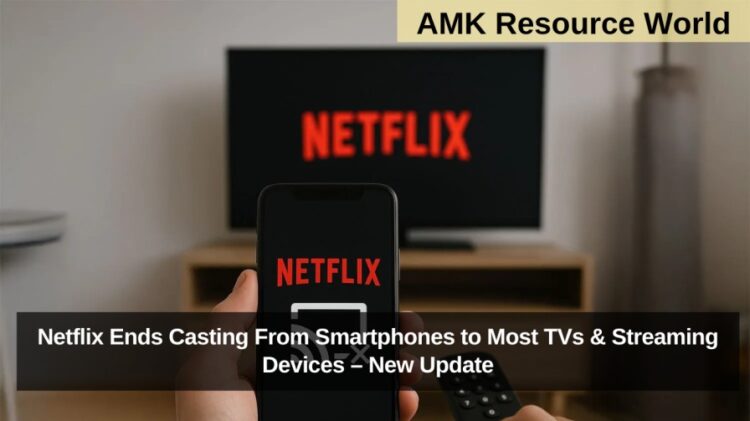
Netflix has quietly discontinued casting support from smartphones to several newer Chromecast devices and Google TV streamers, leaving many users confused as the Cast icon disappeared from their mobile apps. While the streaming giant has not issued an official announcement, its updated support page confirms the rollback, stating that Netflix “no longer supports casting shows from a mobile device to most TVs and TV-streaming devices.”
This feature removal has frustrated users globally, particularly those on non-ad-supported plans, who were previously able to cast Netflix directly from their phones without installing the Netflix app on their TV.
Netflix Rolls Back Casting Feature
Casting from the Netflix mobile app allowed users to stream content on smart TVs and streaming devices without needing to download the Netflix app to the device. This was especially convenient for:
- Users with limited storage on smart TVs
- People who preferred smartphone controls instead of a TV remote
- Households using Chromecast, Google TV, or similar devices for seamless streaming
In a change observed on its support page, Netflix now states: “Netflix no longer supports casting shows from a mobile device to most TVs and TV-streaming devices.”
This policy change was first spotted by Android Authority, and user reports across social media confirm that the Cast icon has vanished from the Netflix app on many smartphones.
Impact on Chromecast & Google TV Users
The feature rollback primarily affects users of:
- Newer Chromecast devices
- Google TV streaming devices
- Possibly several third-party smart TVs with built-in Chromecast
Users will now be required to use the remote that comes with their device to navigate the Netflix interface. Netflix advises viewers to launch the Netflix app directly on the TV instead of casting from their phone.
Convenience Lost for Mobile-Centric Streaming
Users valued Netflix casting for reasons such as:
- Quick one-tap streaming
- Better search and navigation via mobile keyboard
- Avoiding app issues on certain smart TVs
- No need to install additional apps
The removal of casting support means users must now rely entirely on the TV-based Netflix app, which may not be as smooth, updated, or convenient as the mobile interface.

Why Did Netflix Remove Casting?
While Netflix has not stated a reason, experts suggest possible causes:
- Technical changes in Chromecast and Google TV frameworks
- Netflix’s shift toward tighter device control and platform-level authentication
- Streamlining features based on ad-tier vs non-ad-tier policy adjustments
Quick Reference Summary
| Feature | Status |
| Mobile Casting to Most TVs | No longer supported |
| Devices Affected | Newer Chromecast, Google TV, most streaming TVs |
| User Reports | Cast icon missing in app |
| Official Announcement | None, but support page updated |
| Navigation Required | Must use TV remote & built-in Netflix app |
What Users Can Do Now
- Use the Netflix app directly on the TV or Google TV device
- Check if older Chromecast models still support limited casting
- Ensure the Netflix app on the TV is updated
- Consider using device-specific remotes or voice assistants
Netflix’s quiet removal of casting support has sparked concerns among users who relied heavily on the convenience of mobile-to-TV streaming. With casting no longer supported for newer Chromecast and Google TV devices, viewers must revert to using the built-in Netflix TV app and remote controls. For further updates, check Netflix’s official help pages regularly and bookmark this article for the latest developments in streaming policy changes.